

Everything posted by mchookem
-
 i was trying to recall how large the Tea Party protests were...? i remember them but can't recall how large they ended up getting...
 -
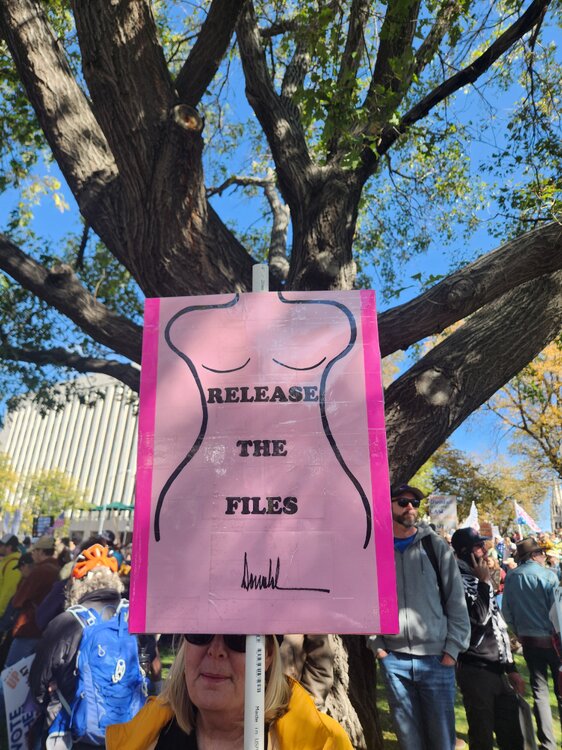
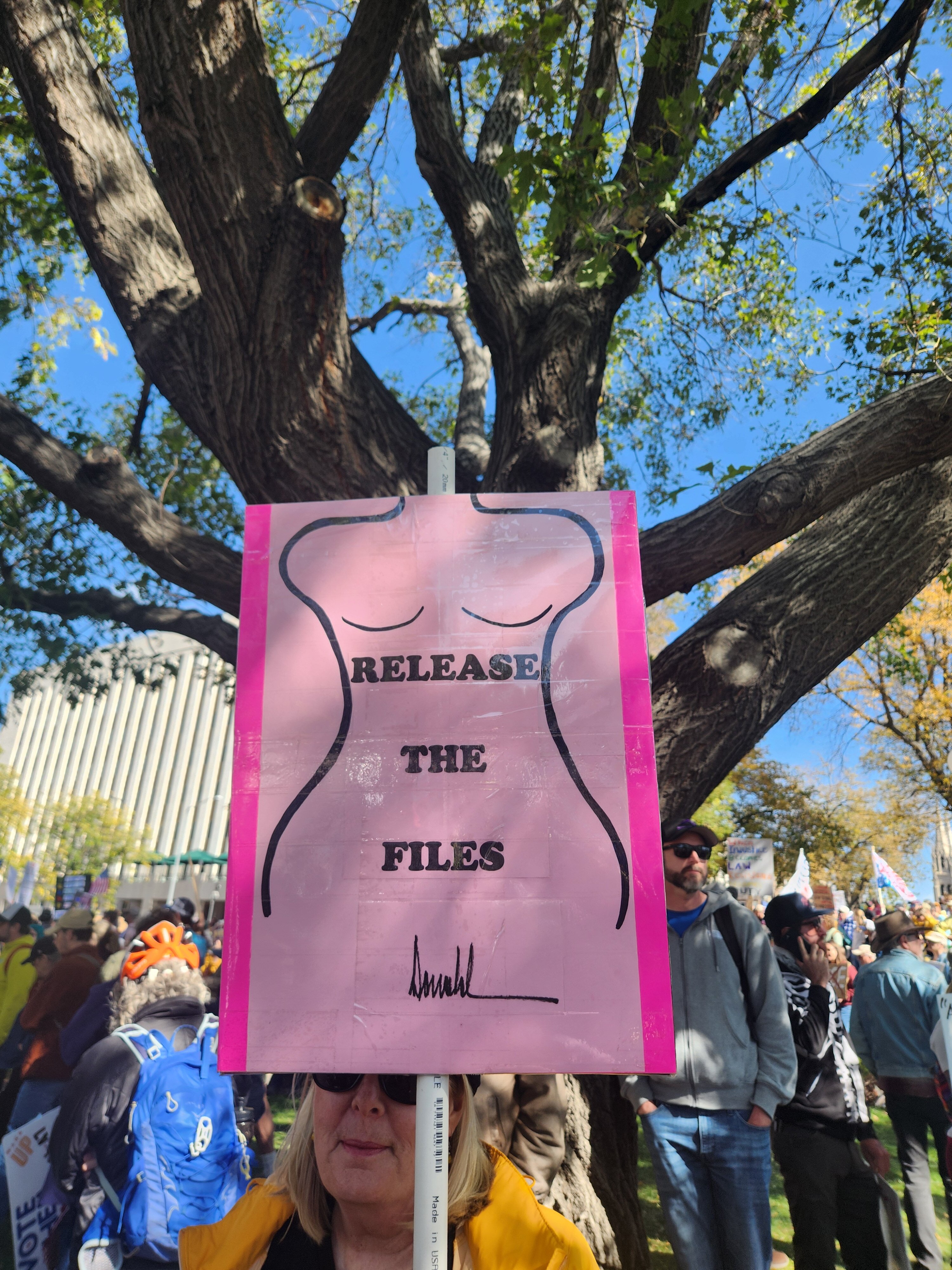
well. that was enjoyable, absolutely gorgeous day! ☀️ way more people than i expected here in White-lanta. law enforcement was a very benign and sparse (visible) presence...i waved and gave a thumbs up to a couple standing a block off and got the same in return. people in vehicles blocked at intersections were totally chill, chatting out their windows...one youngish marine veteran was sitting in the bed of his pickup giving fist bumps to the crowd and wearing a Fuck Trump hat lol. awesome signage... and im always especially fond of simple to the point brevity... i haven't looked at anything from other cities yet, hope Austin didn't have problems...but Denver did it's thing pretty well, i'll be interested in hearing the numbers on the news tonight. 🤘🇺🇲 oh yeah we saw the guy in charge of it all 😆









-
Israeli Nazis, American Fascists, MTG making sense...

-
well...Koresh and Jim Jones and that goofy Heaven's Gate mfer managed to get their cult members to voluntarily off themselves...but Trump still has time🤞

-
American cultural purity... what, like guns, Marvel/Disney, Michael Jackson, guns, and deep fried everything? i mean yeah, there's jazz, TexMex and Tennessee Williams...but miscegenation and 'wokeness' produced those things. i can't imagine a more boring world than nothing but pure, white, American culture 😝 the fuck outta here with that

-
Deadwood and Seinfeld are tied for me as best television show ever. and this is fantastic...
-
if Paxton becomes governor of Texas... 👩🍳's 😘
.gif.99ac14150cb8de374137e7d40e9fd76b.gif)
-
lead vocalist?
 bet he's mad enough to speak in metered rhymes! 🙄
come on small 🤞
bet he's mad enough to speak in metered rhymes! 🙄
come on small 🤞 my excuse is i was young and stupid
back then was mostly privileged frat bros, probably very few virgins. in the olden days we all had sex lol.
so i think i'm going to my first protest ever on saturday. what a world we have become.
i am hoping to be able to locate a number of restaurants like this while we're there, i would love to patronize these spots!
all i know is when i'm feeling particularly appalled or disgusted with the current state of the country and events, this thread at least makes me 😄
my excuse is i was young and stupid
back then was mostly privileged frat bros, probably very few virgins. in the olden days we all had sex lol.
so i think i'm going to my first protest ever on saturday. what a world we have become.
i am hoping to be able to locate a number of restaurants like this while we're there, i would love to patronize these spots!
all i know is when i'm feeling particularly appalled or disgusted with the current state of the country and events, this thread at least makes me 😄 ftr when i was in the Young Republicans at UT they were NOT avowed nazis 😐
The Leader Israel Needed? do they still need him? we'd be happy to send him right over. no problem at all, keep him as long as you like. no, please, no trouble at all, our pleasure, please take him. please.
i assume Louisiana and/or assface admin filed the suit... in these cases who argues for the defendants, or whatever the other side is? like, a private entity? or are these cases just one sided? i honestly don't know how these cases work...
i felt my first wood at church...heathen catholics so we had youth dances and Brian R. was definitely 'happy to see me' as we danced to Open Arms 😆
i saw an interview clip with this guy a while back. it was hard to follow what he was saying, but it seemed like he was advocating or predicting, like, AI was so awesome as it would meld with humanity and we'd eventually evolve into some sort of higher consciousness beings. or something.
ftr when i was in the Young Republicans at UT they were NOT avowed nazis 😐
The Leader Israel Needed? do they still need him? we'd be happy to send him right over. no problem at all, keep him as long as you like. no, please, no trouble at all, our pleasure, please take him. please.
i assume Louisiana and/or assface admin filed the suit... in these cases who argues for the defendants, or whatever the other side is? like, a private entity? or are these cases just one sided? i honestly don't know how these cases work...
i felt my first wood at church...heathen catholics so we had youth dances and Brian R. was definitely 'happy to see me' as we danced to Open Arms 😆
i saw an interview clip with this guy a while back. it was hard to follow what he was saying, but it seemed like he was advocating or predicting, like, AI was so awesome as it would meld with humanity and we'd eventually evolve into some sort of higher consciousness beings. or something.





















Football ...
Basketball ...
Baseball ...
Other Sports ...
Futbol ...
🤫995🤫 ...
Gambling ...
Movies & TV ...
Music ...
Hobbies ...
Lulz ...
Food & Travel
...
Daily Texan ...
Business & Markets ...
Cloak Room ...
Help ...
For Sale ...
Board Discussion ...
Advertise...
Tailgate Donations
Account
Search
Configure browser push notifications
Chrome (Android)
- Tap the lock icon next to the address bar.
- Tap Permissions → Notifications.
- Adjust your preference.
Chrome (Desktop)
- Click the padlock icon in the address bar.
- Select Site settings.
- Find Notifications and adjust your preference.
Safari (iOS 16.4+)
- Ensure the site is installed via Add to Home Screen.
- Open Settings App → Notifications.
- Find your app name and adjust your preference.
Safari (macOS)
- Go to Safari → Preferences.
- Click the Websites tab.
- Select Notifications in the sidebar.
- Find this website and adjust your preference.
Edge (Android)
- Tap the lock icon next to the address bar.
- Tap Permissions.
- Find Notifications and adjust your preference.
Edge (Desktop)
- Click the padlock icon in the address bar.
- Click Permissions for this site.
- Find Notifications and adjust your preference.
Firefox (Android)
- Go to Settings → Site permissions.
- Tap Notifications.
- Find this site in the list and adjust your preference.
Firefox (Desktop)
- Open Firefox Settings.
- Search for Notifications.
- Find this site in the list and adjust your preference.