

kingkoopa6
Burnt Ends
-
Joined
Everything posted by kingkoopa6
-
 Beyond the Bar - I’m hooked. But only 4 episodes out right now. Netflix doing that dum dum slow drip weekly release. id have binged it if I could.
 -
I’d be surprised if it’s not Romero
-
If you’re into drumming, pianos, J drama with anime style acting, and j rock music, check out Glass Heart on Netflix. I binged it in a couple of days…sometimes it drags, pretty typical for JTV/anime.. but I liked it. actress is as cute as a button too

 You right. I play from the whites, I’m the last one to ask about course management. Golf gods did look out for rose. Inches away from OB and into the water on the first playoff tee shot
Why jj be playing it safe. Safe play don’t win ships
It wasnt THAT bad. timing was off, receivers can’t catch and line was ass. i only watched the final min.
Who would be ideal ownership? cuban ? With manning at helm? fuck it I’m down
I’ve never seen that before. So maybe that means this is our year.
Now upon further research. The main guy is also the evil dad in Shang chi lord of the rings or whatever it was called. and a whole bunch of other movies but I’m rambling on, cuz I watched 2046 way back when blockbuster was sending out dvds in the mail before Netflix, yall remember ? It was like $5 a month and you could order 3 or 4 dvds at a time But anyway. I watched it cuz I read them two hot chicks from memoirs of a geisha was in it. zhang ziyi and gong li. Sexy to me back in 2005. was living in Okinawa then, but yea, I might have maybe been bit with the yellow fever
She looked super familiar . But now that you mentioned it. It’s cuz of the main guy in that movie was the same main guy in 2046 ( that I recommended earlier in here, but researched and realized it was Chinese) I saw lust and caution because of him and remember her. long time ago tho. Couldn’t tell you what it was about. But maybe it needs a rewatch
I only fast forward until I saw a longhorn. Which I didn’t see much of us in there. Unless I missed something smirked when ags lb was like “ I’ve wanted to be a longhorn for as long as I could remember “ watching arch break that tackle and get in the endzone was awesome to see again for like the 100th time
Ok maybe not hella fine. But she easy on the eyes
You right. I play from the whites, I’m the last one to ask about course management. Golf gods did look out for rose. Inches away from OB and into the water on the first playoff tee shot
Why jj be playing it safe. Safe play don’t win ships
It wasnt THAT bad. timing was off, receivers can’t catch and line was ass. i only watched the final min.
Who would be ideal ownership? cuban ? With manning at helm? fuck it I’m down
I’ve never seen that before. So maybe that means this is our year.
Now upon further research. The main guy is also the evil dad in Shang chi lord of the rings or whatever it was called. and a whole bunch of other movies but I’m rambling on, cuz I watched 2046 way back when blockbuster was sending out dvds in the mail before Netflix, yall remember ? It was like $5 a month and you could order 3 or 4 dvds at a time But anyway. I watched it cuz I read them two hot chicks from memoirs of a geisha was in it. zhang ziyi and gong li. Sexy to me back in 2005. was living in Okinawa then, but yea, I might have maybe been bit with the yellow fever
She looked super familiar . But now that you mentioned it. It’s cuz of the main guy in that movie was the same main guy in 2046 ( that I recommended earlier in here, but researched and realized it was Chinese) I saw lust and caution because of him and remember her. long time ago tho. Couldn’t tell you what it was about. But maybe it needs a rewatch
I only fast forward until I saw a longhorn. Which I didn’t see much of us in there. Unless I missed something smirked when ags lb was like “ I’ve wanted to be a longhorn for as long as I could remember “ watching arch break that tackle and get in the endzone was awesome to see again for like the 100th time
Ok maybe not hella fine. But she easy on the eyes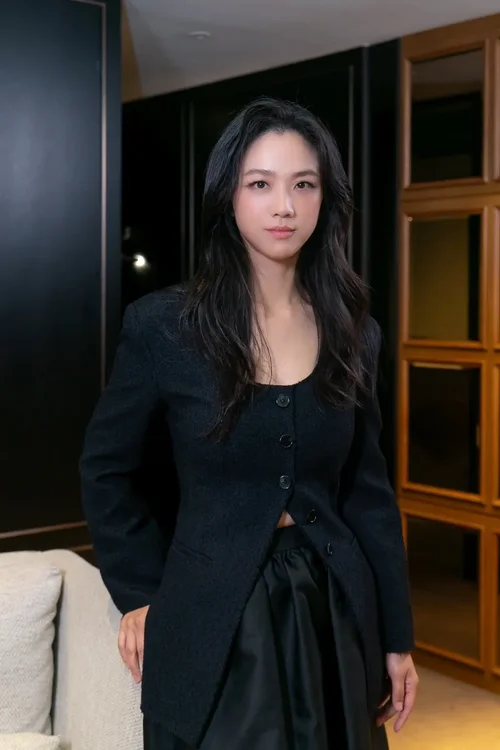 That actress is hella fine. Caught the first hour before bed, left myself a cliffhanger. Had to stop because it was almost 2 a.m., and finishing would’ve put me at 3. (I’m an insomniac with sleep apnea and 2 kids under 2, not an issue. But gotta sleep sometime.) And why is it that I hate having subtitles on when I understand the language, but love them for international films/TV? With foreign stuff, it feels like reading a book but in movie form. Which is probably why I like reading… I visualize what I’m reading like it’s a movie.
Same dude that did Oldboy and handmaiden
Decision To Leave. anyone catch it? Hulu
Damn. It’s about to get uglier. Actually now I wanna watch how bad it gets
Ew
That actress is hella fine. Caught the first hour before bed, left myself a cliffhanger. Had to stop because it was almost 2 a.m., and finishing would’ve put me at 3. (I’m an insomniac with sleep apnea and 2 kids under 2, not an issue. But gotta sleep sometime.) And why is it that I hate having subtitles on when I understand the language, but love them for international films/TV? With foreign stuff, it feels like reading a book but in movie form. Which is probably why I like reading… I visualize what I’m reading like it’s a movie.
Same dude that did Oldboy and handmaiden
Decision To Leave. anyone catch it? Hulu
Damn. It’s about to get uglier. Actually now I wanna watch how bad it gets
Ew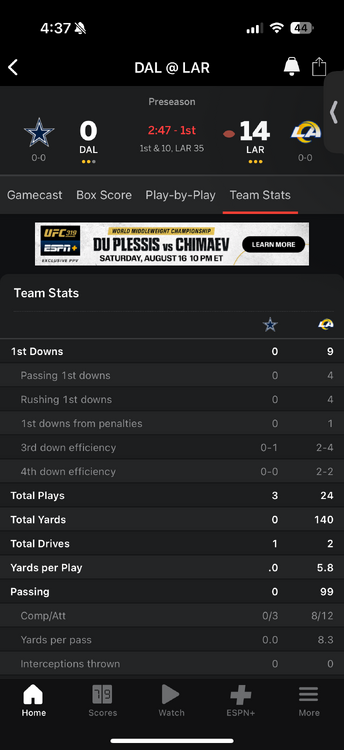 See yall next year
Still ass
The songs are catchy as hell.
Business Proposal is next on the list for me to watch
Vincenzo would be the perfect choice to break a newbie into Korean content.
See yall next year
Still ass
The songs are catchy as hell.
Business Proposal is next on the list for me to watch
Vincenzo would be the perfect choice to break a newbie into Korean content.






Football ...
Basketball ...
Baseball ...
Other Sports ...
Futbol ...
🤫995🤫 ...
Gambling ...
Movies & TV ...
Music ...
Hobbies ...
Lulz ...
Food & Travel
...
Daily Texan ...
Business & Markets ...
Cloak Room ...
Help ...
For Sale ...
Board Discussion ...
Advertise...
Tailgate Donations