

ATXbronco
Full Members
-
Joined
Everything posted by ATXbronco
-
 I mean, the uh basketball forum.
Honestly, fuck Soccer in general. And keep your politics out of this fucking Football forum.
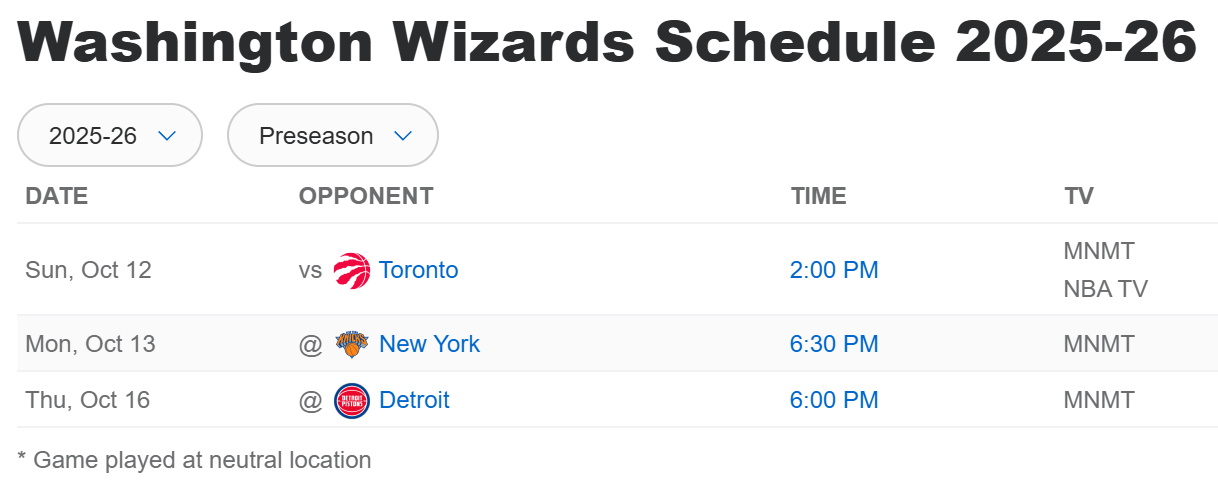
Washington's preseason schedule is weird. Looks like it kicks off a week later than most teams, and is fewer games. But anyways, here it is. Times are CST. Most cable packages offer NBA TV but you'll probably need League Pass for the other games.
I mean, the uh basketball forum.
Honestly, fuck Soccer in general. And keep your politics out of this fucking Football forum.
Washington's preseason schedule is weird. Looks like it kicks off a week later than most teams, and is fewer games. But anyways, here it is. Times are CST. Most cable packages offer NBA TV but you'll probably need League Pass for the other games.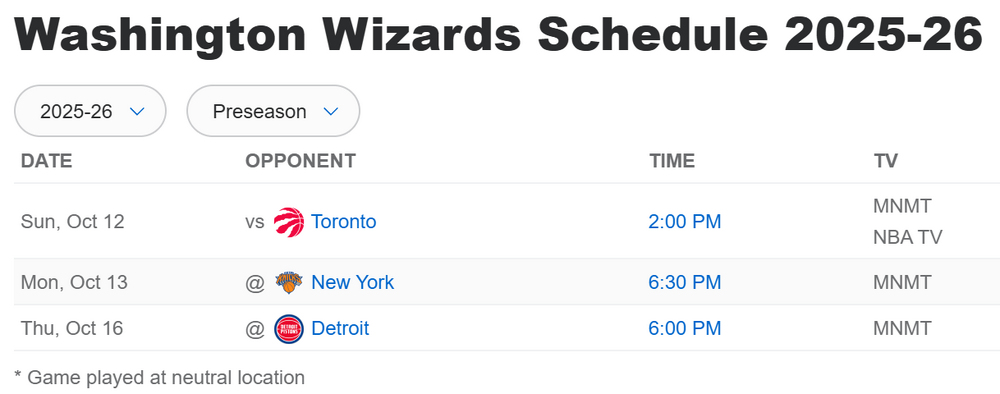 Thanks guys, I missed the 1940 part.
It's what the broadcasters said before the game started. Unless I heard them wrong, the broadcasters commented that the Texas team actually took the train to Florida instead of flying. And that it was a ~40 something hour long trip. It caught my attention because it sounded like a bizarre thing to do.
What was the deal with the 48 hour train ride to Florida? Let's not put our team in any more trains. Seems like a lot of wasted time that could have been better spent prepping for the game.
Sweet, a game in HD. Or at least 720P/1080i. We'll be on ESPN HD channel at 2:30PM CST. Probably in 4K for anyone paying extra for YouTube TV 4K? I gave up on it after my first year trying it. Hardly anything ever came on in 4K.
Thanks guys, I missed the 1940 part.
It's what the broadcasters said before the game started. Unless I heard them wrong, the broadcasters commented that the Texas team actually took the train to Florida instead of flying. And that it was a ~40 something hour long trip. It caught my attention because it sounded like a bizarre thing to do.
What was the deal with the 48 hour train ride to Florida? Let's not put our team in any more trains. Seems like a lot of wasted time that could have been better spent prepping for the game.
Sweet, a game in HD. Or at least 720P/1080i. We'll be on ESPN HD channel at 2:30PM CST. Probably in 4K for anyone paying extra for YouTube TV 4K? I gave up on it after my first year trying it. Hardly anything ever came on in 4K.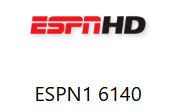 Dammnit, it's Whittington who plays for the Rams. Thanks :lol:
DICKER FTT! for the tie
Counter I don't know anything about him. I just think that turnaround is incredible. From single win to double digits in three years. Gotta wonder how much of it was that coaching staff that he couldn't lure to UW.
Dammnit, it's Whittington who plays for the Rams. Thanks :lol:
DICKER FTT! for the tie
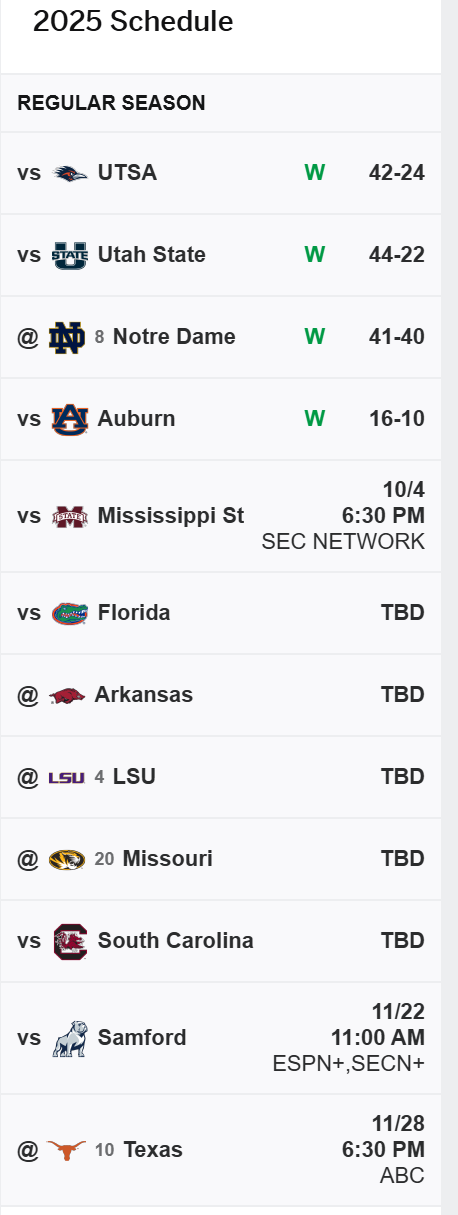
Counter I don't know anything about him. I just think that turnaround is incredible. From single win to double digits in three years. Gotta wonder how much of it was that coaching staff that he couldn't lure to UW.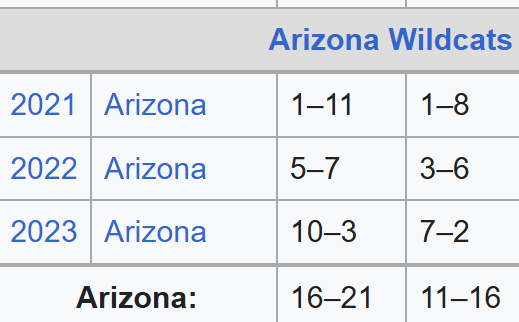 There's a decent chance they'll only have two losses by then. A&M schedule:
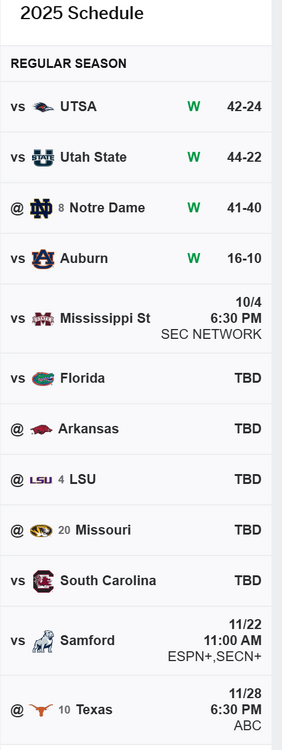 Has Tech ever been ranked above us before? Just wondering. I'm guessing yes.
I miss 1980's Taco Bell
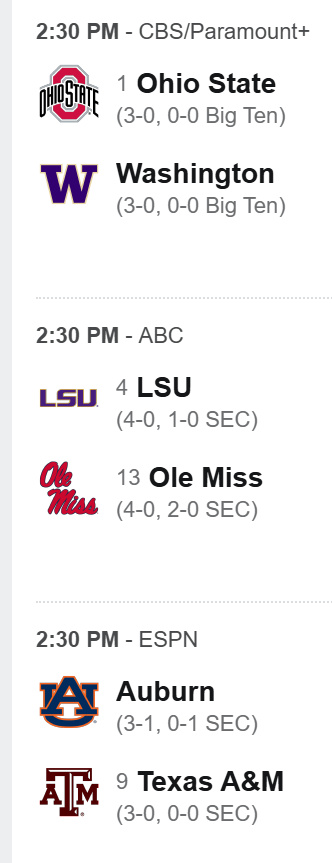
There's a logjam of games to root for/root against tomorrow at 2:30PM CST.
Has Tech ever been ranked above us before? Just wondering. I'm guessing yes.
I miss 1980's Taco Bell
There's a logjam of games to root for/root against tomorrow at 2:30PM CST.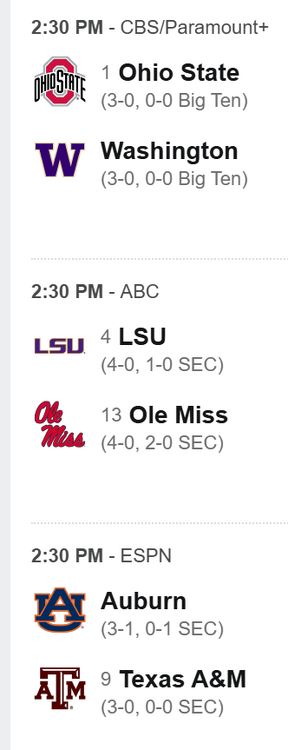 0-5 what a fail ending to this game for Oregon State All you needed was a fieldgoal. The one you passed up for a hilariously failed 4th down run.
Just center it and kick the freaking ball already
I'm glad our Texas team Orange isn't a Halloween shade of Orange like Oregon St or OSU. And speaking of Halloween, our lady Longhorn volleyball team is undefeated against ranked teams so far this year and are playing Texas A&M on Halloween night at 8PM CST. Heck yah!
What a great night of games. Holy shit.
I hope he's back in time for the Red River. Fuck OU, but I want to beat them when they're at their best!
0-5 what a fail ending to this game for Oregon State All you needed was a fieldgoal. The one you passed up for a hilariously failed 4th down run.
Just center it and kick the freaking ball already
I'm glad our Texas team Orange isn't a Halloween shade of Orange like Oregon St or OSU. And speaking of Halloween, our lady Longhorn volleyball team is undefeated against ranked teams so far this year and are playing Texas A&M on Halloween night at 8PM CST. Heck yah!
What a great night of games. Holy shit.
I hope he's back in time for the Red River. Fuck OU, but I want to beat them when they're at their best!
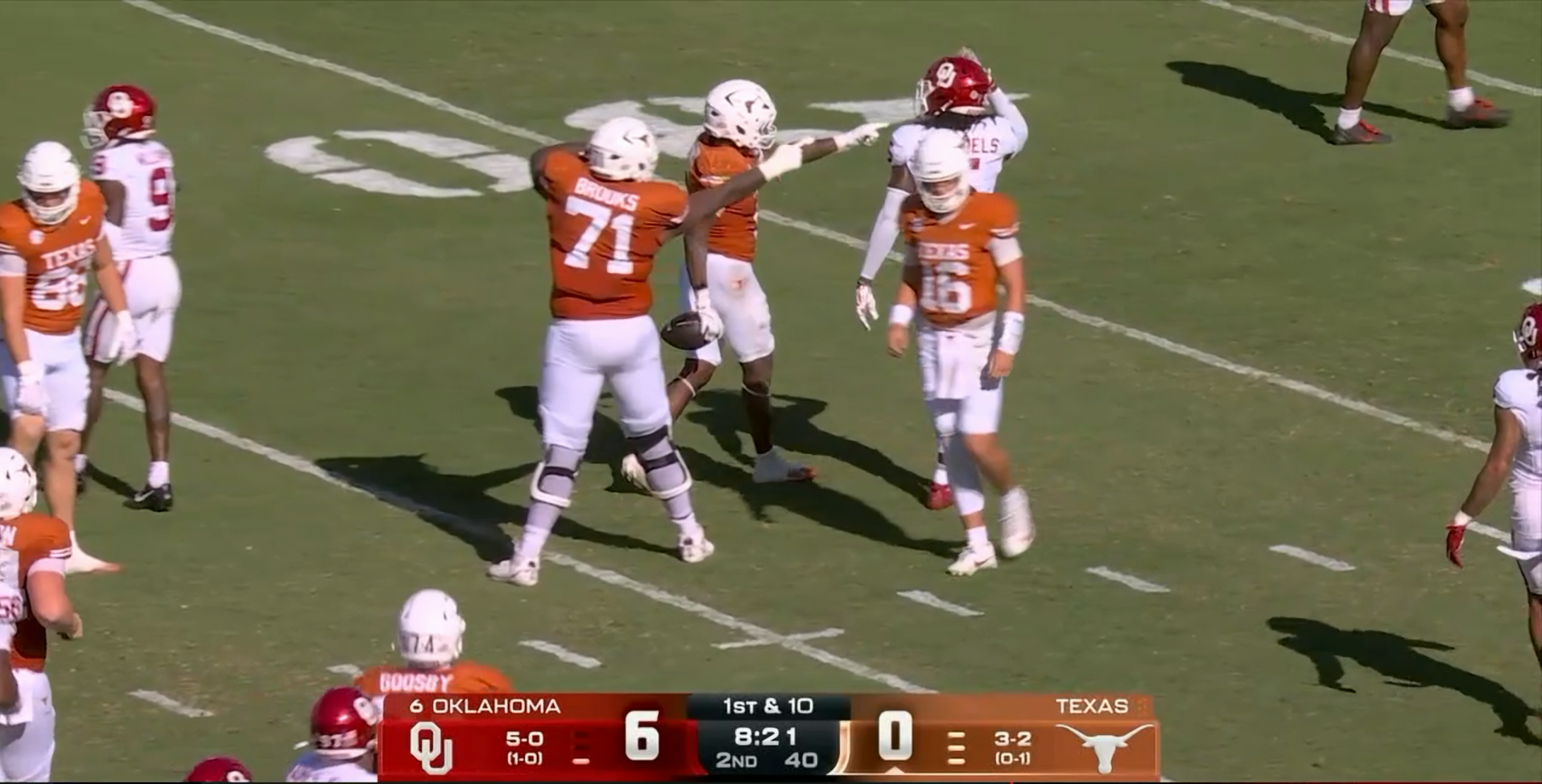

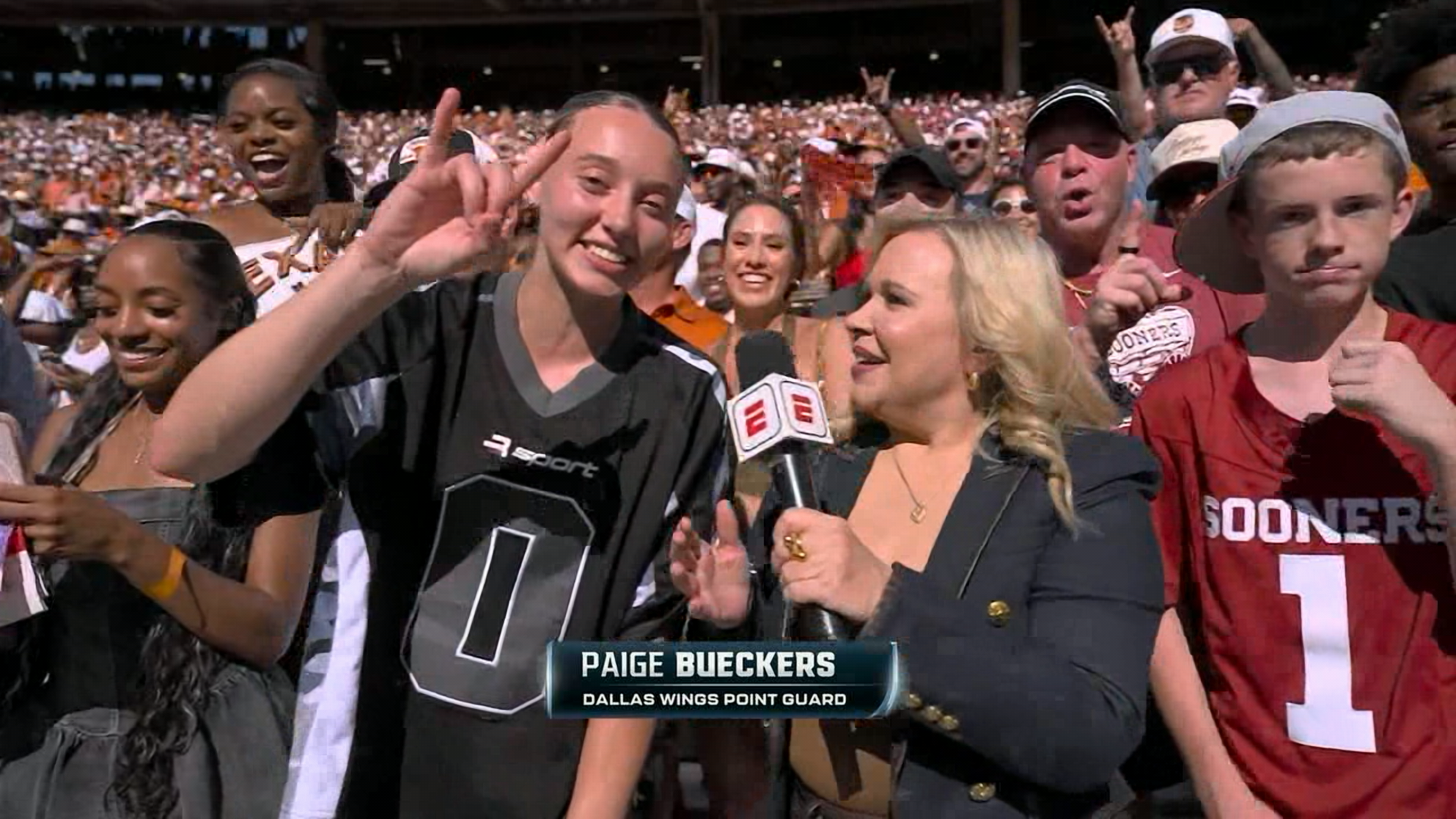




Football ...
Basketball ...
Baseball ...
Other Sports ...
Futbol ...
🤫995🤫 ...
Gambling ...
Movies & TV ...
Music ...
Hobbies ...
Lulz ...
Food & Travel
...
Daily Texan ...
Business & Markets ...
Cloak Room ...
Help ...
For Sale ...
Board Discussion ...
Advertise...
Tailgate Donations
Account
Search
Configure browser push notifications
Chrome (Android)
- Tap the lock icon next to the address bar.
- Tap Permissions → Notifications.
- Adjust your preference.
Chrome (Desktop)
- Click the padlock icon in the address bar.
- Select Site settings.
- Find Notifications and adjust your preference.
Safari (iOS 16.4+)
- Ensure the site is installed via Add to Home Screen.
- Open Settings App → Notifications.
- Find your app name and adjust your preference.
Safari (macOS)
- Go to Safari → Preferences.
- Click the Websites tab.
- Select Notifications in the sidebar.
- Find this website and adjust your preference.
Edge (Android)
- Tap the lock icon next to the address bar.
- Tap Permissions.
- Find Notifications and adjust your preference.
Edge (Desktop)
- Click the padlock icon in the address bar.
- Click Permissions for this site.
- Find Notifications and adjust your preference.
Firefox (Android)
- Go to Settings → Site permissions.
- Tap Notifications.
- Find this site in the list and adjust your preference.
Firefox (Desktop)
- Open Firefox Settings.
- Search for Notifications.
- Find this site in the list and adjust your preference.