
UTEE97
Certifiably Surly
-
Joined
-
Last visited
Everything posted by UTEE97
-
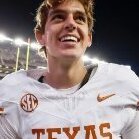 Arch can't seem to control the velocity in his throws. His deep throws are beautiful but short and intermediate ones are hard to catch because he doesn't take anything off. Quinn was the opposite.
 -
Does Arch work with the trainer during the season or in the offseason? The internet tells me this trainer is based in Alabama. If that's true, I don't imagine the trainer coming to Austin to train Arch, so he probably gets his QB coaching from our very own Milwee.
-
Milwee is ass, my dude. I realize he has a long relationship with Arch but we need to find someone who can develop QBs and is smart enough to provide input into the offensive gameplan. Then hopefully, Sark trusts that person enough to let him be the playcaller. Get someone young and innovative.
-
Not sure that was the intention.
-
Peyton: I told you he was fucken adopted. 😂
That throwing motion .... Also, he held onto the ball way too long. Good thing our OL gave him plenty of time or we would be looking at a bunch of sacks.
I thought he played markedly better after he started running a bit. Granted he didn't start playing like a heisman contender but he played better than when he was trying to throw cold. Arch will play better in coming weeks but I am concerned about Sarkisian’s inability to make in-game adjustments.
Thread title suggestions: Disowned by my famous uncles A 3 star without the last name Couldn't beat a 7th rounder
None of our QBs seem to have developed under Milwee. We give him 5 stars and he churns out 7th rounders.
As I think about the gameplan, I wonder why Sark didn’t have a trick play or two for special situations. You go all vanilla against an inferior competition, which OSU was not. Also, OSU has a history of making goalline stops in big games. We should have tried to switch things up from time to time to surprise them. Second, Sark admitted during the postgame presser that Arch was probably one of those players who needed to get hit to get him going. Some of us were saying this in the first half. Why did it take the entire first half for his head coach to realize it? It's nice that he relaizes these fixes after the game, but I wish he could react in-game and make the immediate adjustments.
When I listen to Sark's postgame presser, I feel bad for him and get the feeling that he gets what needs to be fixed. Then he goes out and makes the same mistakes in the next big game. It's been going on for far too long to make me think he may never get over the hump.
If our QB had made a few throws that you would expect a p4 QB to make, I bet our roster would look just fine as we leave the shoe with a W. I don't think our roster was the issue today.
I expected Arch to show more heart than he did as the QB1. He showed a lot more fire as the QB2. Perhaps all the offseason heisman talk got to his head. I am not a fan how Sark calls these big games, but I am not sure what Sark could have done differently to have Arch play better. Perhaps it has to do with our preparation for big games.



Football ...
Basketball ...
Baseball ...
Other Sports ...
Futbol ...
🤫995🤫 ...
Gambling ...
Movies & TV ...
Music ...
Hobbies ...
Lulz ...
Food & Travel
...
Daily Texan ...
Business & Markets ...
Cloak Room ...
Help ...
For Sale ...
Board Discussion ...
Advertise...
Tailgate Donations