

.gif.e6de8d3f9f63fc8aa6697cb57b052ab8.gif)
Everything posted by Derka
-
.thumb.gif.956081e386d6cdd56735dc7049199019.gif) y’all hear that? 99% of you fat losers believe that the last thing that happened to you defines you. but not shaka and his boys. they’re already mindfully meditating their future into existence. they are the 1%.
y’all hear that? 99% of you fat losers believe that the last thing that happened to you defines you. but not shaka and his boys. they’re already mindfully meditating their future into existence. they are the 1%. -
-
30 pts, 9 reb (4 oreb), 4 ast, 2 blk, 2 stl in his first game vs jokic/val. not bad. he just kept getting better and better at maryland last year, and he has such an all around game that i think he would have been a bigger prospect if his name was Darijev Queonovic. he’s not a great athlete by any means, but he can flat out hoop.
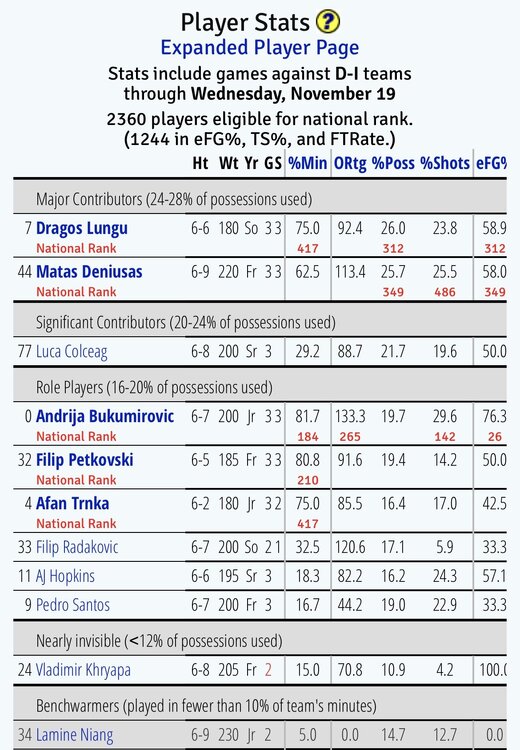
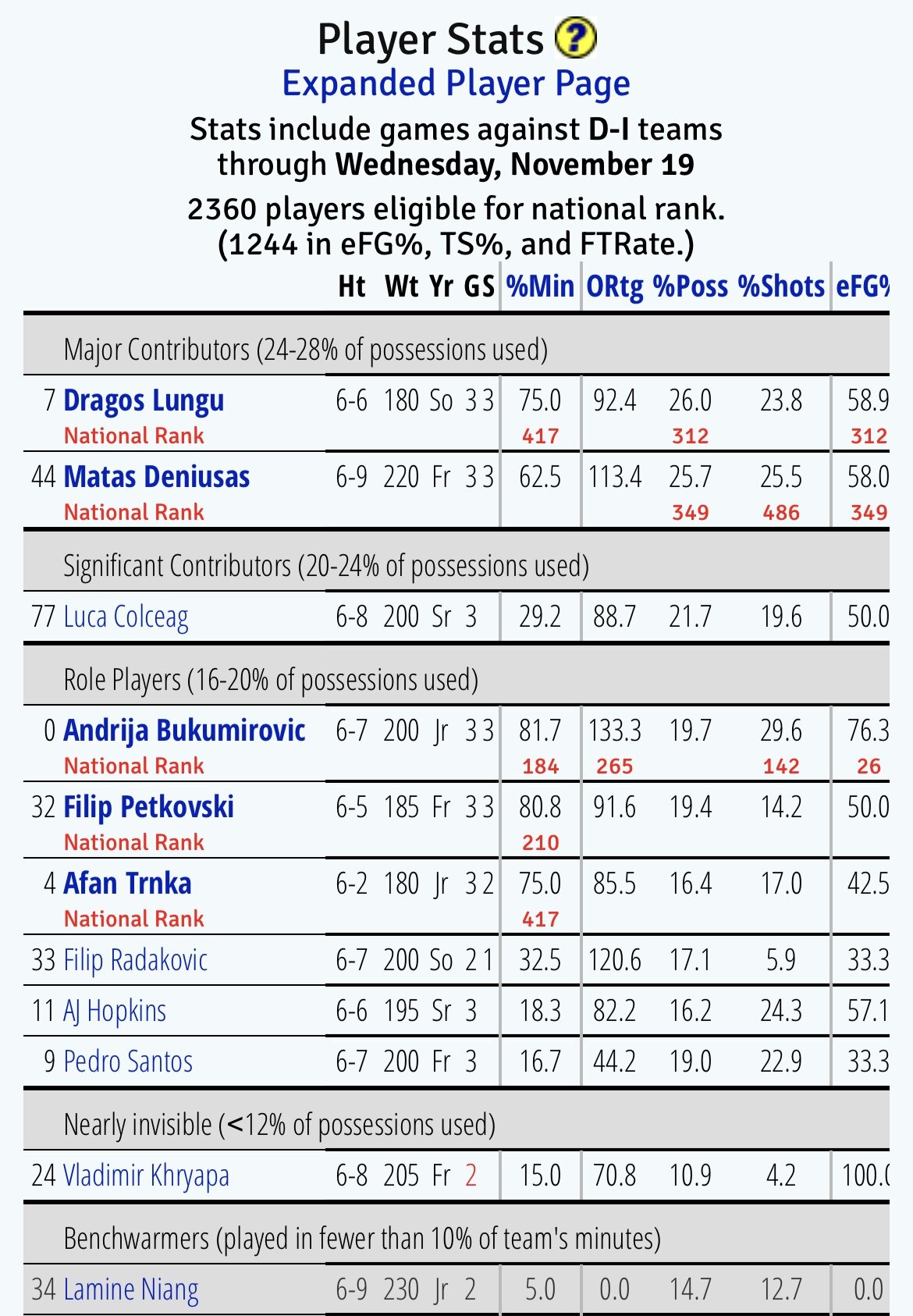
check out tennessee-martin:
 dayton wins 77-71 in milwaukee. who could have seen that coming?
dayton keeps running the right plays/actions to score only to screw it up. sick block by the dayton guard. airball three from marquette lol.
lmao, marquette got the ball last, called TO, drew up a play with 14 seconds left, and then never got a shot off. overtime.
68-68 with 36 seconds left. dayton ball.
the sideline reporter is talking about marquette’s “mental weight training”, aka the breathing exercises that they do before and after every game, as well as during media timeouts. i didn’t realize they still did this shit lol.
golden eagle (-5.5) down 39-34 at the half vs dayton.
lol they reviewed it and called it a foul on allen.
unc game? damion james, dexter pittman, and either j’covan or avery bradley? and yeah, that’s wild.
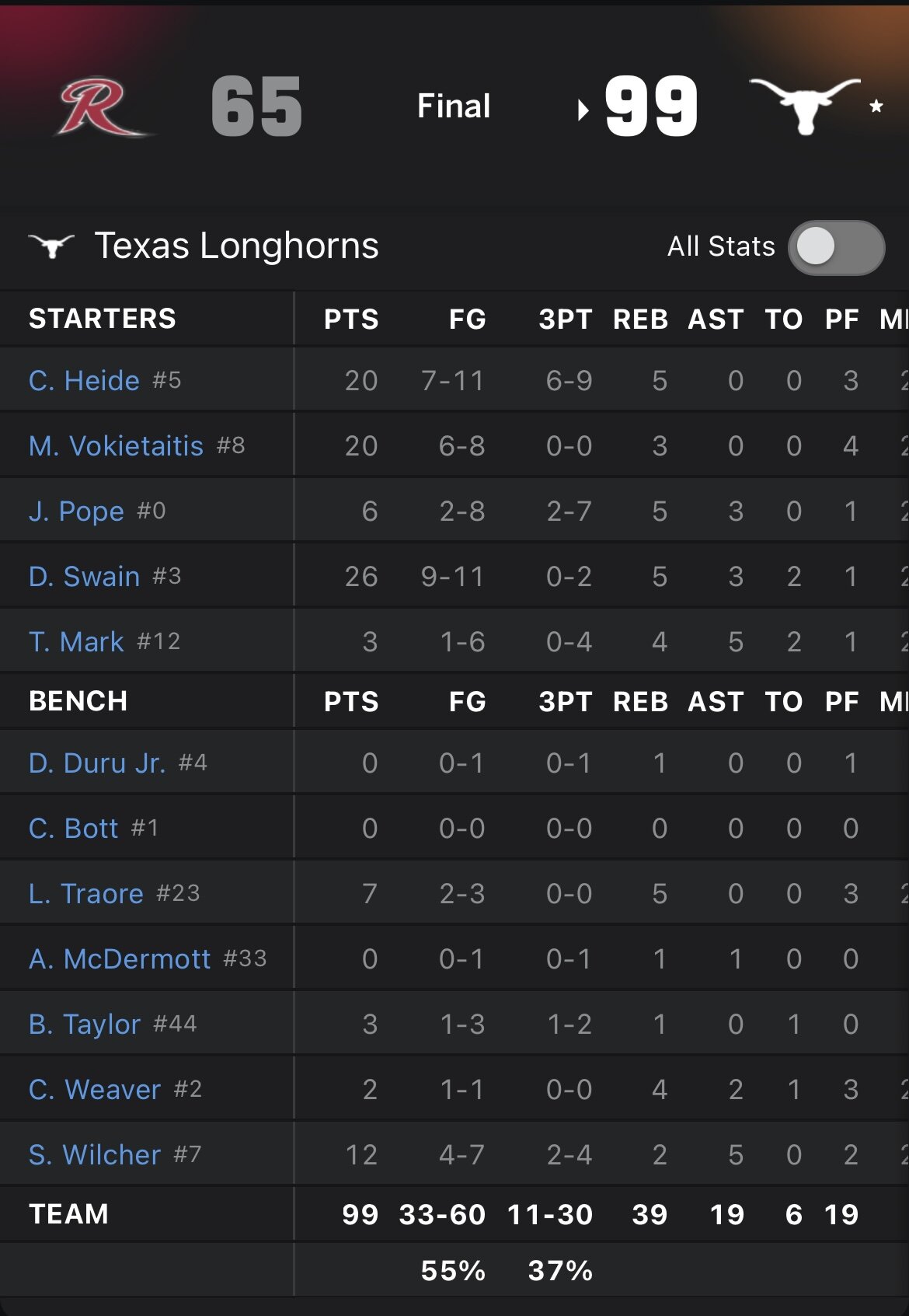
pope struggling vs garbage teams. needs to lose his starting spot soon if things don’t improve.
dayton wins 77-71 in milwaukee. who could have seen that coming?
dayton keeps running the right plays/actions to score only to screw it up. sick block by the dayton guard. airball three from marquette lol.
lmao, marquette got the ball last, called TO, drew up a play with 14 seconds left, and then never got a shot off. overtime.
68-68 with 36 seconds left. dayton ball.
the sideline reporter is talking about marquette’s “mental weight training”, aka the breathing exercises that they do before and after every game, as well as during media timeouts. i didn’t realize they still did this shit lol.
golden eagle (-5.5) down 39-34 at the half vs dayton.
lol they reviewed it and called it a foul on allen.
unc game? damion james, dexter pittman, and either j’covan or avery bradley? and yeah, that’s wild.
pope struggling vs garbage teams. needs to lose his starting spot soon if things don’t improve.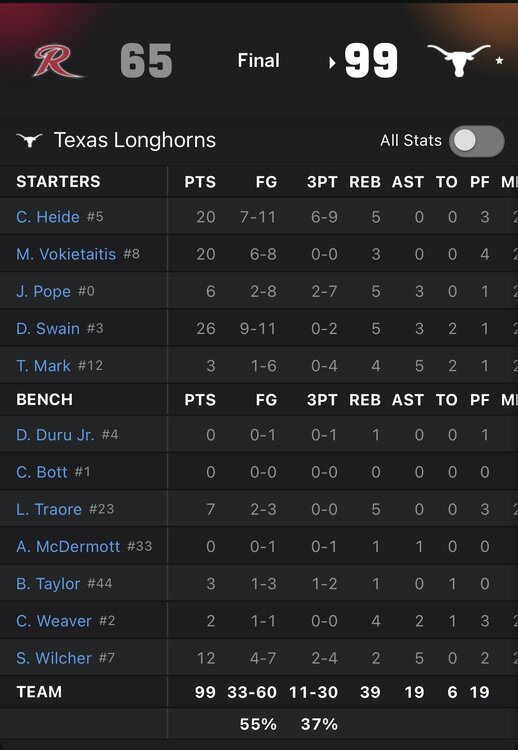 curaçao is the size of round rock.
also, barack obama gave me healthcare, and the republican party is now taking it away from me/people like me. don’t tell me both parties are the same you cowardly right wing bootlicking mongoloid.
curaçao is the size of round rock.
also, barack obama gave me healthcare, and the republican party is now taking it away from me/people like me. don’t tell me both parties are the same you cowardly right wing bootlicking mongoloid.





Football ...
Basketball ...
Baseball ...
Other Sports ...
Futbol ...
🤫995🤫 ...
Gambling ...
Movies & TV ...
Music ...
Hobbies ...
Lulz ...
Food & Travel
...
Daily Texan ...
Business & Markets ...
Cloak Room ...
Help ...
For Sale ...
Board Discussion ...
Advertise...
Tailgate Donations
Account
Search
Configure browser push notifications
Chrome (Android)
- Tap the lock icon next to the address bar.
- Tap Permissions → Notifications.
- Adjust your preference.
Chrome (Desktop)
- Click the padlock icon in the address bar.
- Select Site settings.
- Find Notifications and adjust your preference.
Safari (iOS 16.4+)
- Ensure the site is installed via Add to Home Screen.
- Open Settings App → Notifications.
- Find your app name and adjust your preference.
Safari (macOS)
- Go to Safari → Preferences.
- Click the Websites tab.
- Select Notifications in the sidebar.
- Find this website and adjust your preference.
Edge (Android)
- Tap the lock icon next to the address bar.
- Tap Permissions.
- Find Notifications and adjust your preference.
Edge (Desktop)
- Click the padlock icon in the address bar.
- Click Permissions for this site.
- Find Notifications and adjust your preference.
Firefox (Android)
- Go to Settings → Site permissions.
- Tap Notifications.
- Find this site in the list and adjust your preference.
Firefox (Desktop)
- Open Firefox Settings.
- Search for Notifications.
- Find this site in the list and adjust your preference.